Step 1
Log in and sign up
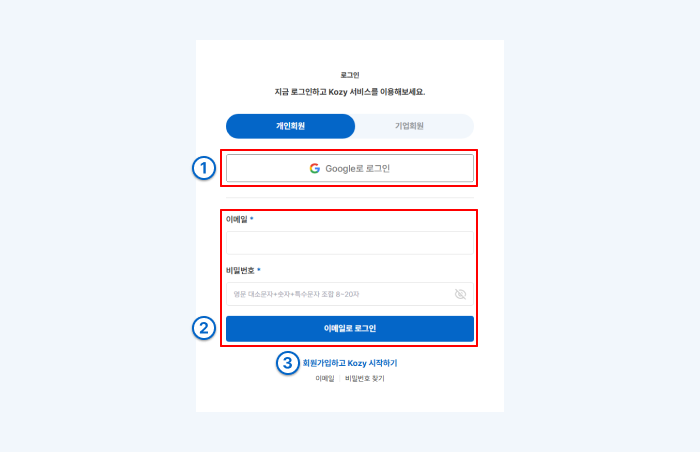
- ①You can log in/sign up by clicking [Log in with Google].
- ②Log in with an email account
- ③Sign up with an email account
Step 2
Start writing your resume
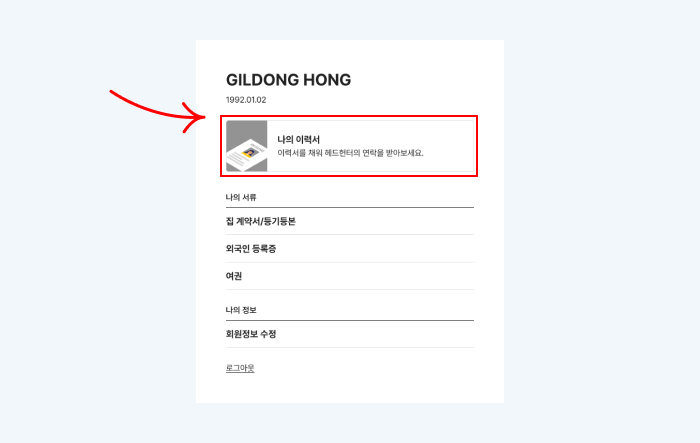
Find the [Write My Resume] button on My Page.
Step 3
Write My Resume
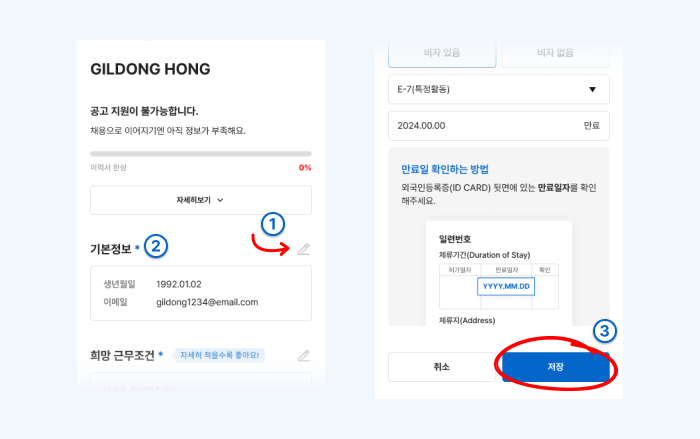
- ①Click the [Edit] button to enter information.
- ②If there's a * next to each field, fill it out. If you don't fill it out, it won't be saved.
- ③Click 'Save' after filling out each field and move on to the next.
Step 4
Check My Resume Writing Guide Tools
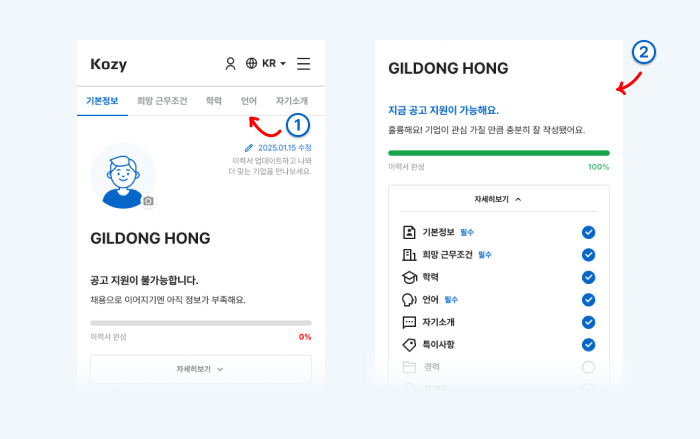
There are two guide tools at the top of the resume writing screen.
- ①You can move to each item by clicking on the tab menu.
- ②Progress Bar
- Basic Details (Skills/Experience)
- Overall Resume Completion Rate (%)
Step 5
Check and Apply for Job Postings
Find the job posting you want.